
Night Vision Security Camera Through Window: Does IR Cut Filter Help?
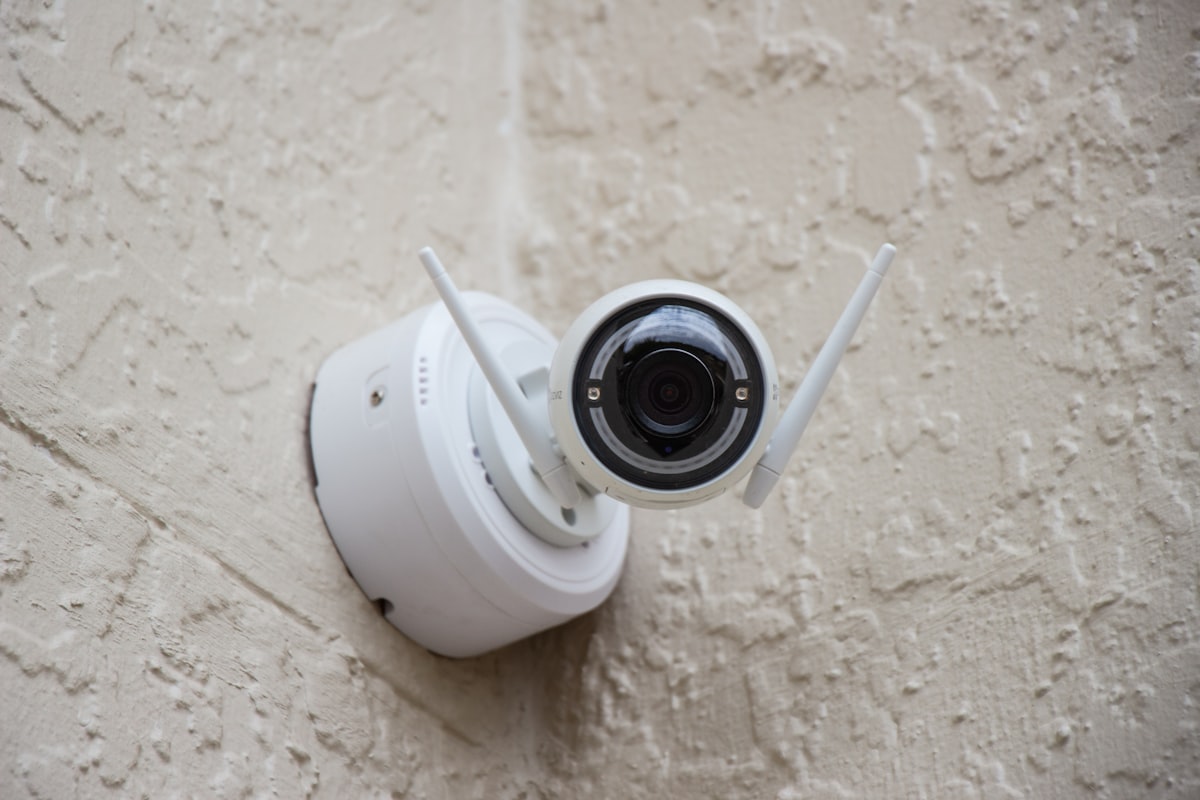
The desire for enhanced home security is universal. Many homeowners want to keep an eye on their property, particularly at night, without the hassle of outdoor camera installation. This often leads to the question: can you use a night vision camera through a window effectively? The simple answer is yes, but it comes with significant challenges, especially when dealing with infrared (IR) light. This article will dive deep into the intricacies of using security cameras through glass, focusing on the role of the IR cut filter window camera systems employ, and explore solutions like specialized “glass mode” features.
The Challenge of Night Vision Through Glass
Traditional night vision cameras rely on infrared (IR) illuminators – small LED lights built into the camera that emit IR light. This light, invisible to the human eye, bounces off objects and is then captured by the camera’s sensor, allowing it to “see in the dark.” However, glass presents a major obstacle:
- IR Reflection: When IR light from a camera’s built-in illuminators hits a pane of glass, a significant portion of it reflects right back into the lens. This creates a blinding glare or a hazy, washed-out image, rendering the night vision practically useless. It’s akin to shining a flashlight directly into a mirror.
- Window Obstructions: Even without reflection, dirt, dust, water droplets, or reflections from indoor lights can degrade the image quality.
- Distance and Clarity: Glass itself can slightly distort images, especially if it’s not perfectly clean or if it’s multi-pane.
Understanding the IR Cut Filter: Your Camera’s Daytime Guardian
Before we discuss how to mitigate IR reflection for through-window use, it’s crucial to understand the IR cut filter. Most modern security cameras, whether they have night vision or not, include an IR cut filter:
During the day, this filter is positioned in front of the camera’s sensor. Its job is to block infrared light from reaching the sensor. Why? Because the human eye perceives colors differently than a camera sensor does with IR light. Without the IR cut filter, colors in your daytime footage would appear washed out, discolored, or purple-tinted due to the mixing of visible and infrared light. Essentially, it helps produce accurate, vibrant colors during daylight hours.
At night, when the camera switches to night vision mode, the IR cut filter typically retracts. This allows the maximum amount of available light, including the IR emitted by the camera’s illuminators (or ambient IR), to reach the sensor, enabling monochrome night vision.
How Does an IR Cut Filter Impact Through-Window Night Vision?
When you try to use a camera with active IR illuminators through a window at night, the IR cut filter’s normal operation works against you:
- The camera switches to night vision, retracting the IR cut filter.
- The camera’s IR illuminators turn on.
- The IR light hits the window glass.
- It reflects off the glass and back into the lens, creating a blinding glare.
- The camera, with its IR cut filter retracted, is fully sensitive to this reflected IR light, amplifying the glare problem.
So, does the IR cut filter “help” with night vision camera through window setups? Indirectly, by understanding its function, we realize that for successful through-window night vision *without glare*, the camera’s own IR illuminators must be turned OFF. The IR cut filter’s primary role is to manage visible and IR light for color accuracy, not to solve the reflection problem of internal IR sources hitting glass.
Solutions: “Glass Mode” and External IR Illumination
Given the challenges, what are the viable solutions for effective night vision camera through window monitoring?
1. The “Glass Mode” or “Window Mode” Feature
This is the most direct and elegant solution for internal cameras monitoring outdoors. Cameras with a dedicated “glass mode” or “window mode” feature are specifically designed for this scenario. What do they do?
- Disables Onboard IR Illuminators: The most critical function of “glass mode” is to automatically or manually turn off the camera’s built-in IR LEDs. This eliminates the source of internal IR reflection off the window.
- Maintains IR Cut Filter Retraction: While the camera’s IR lights are off, the IR cut filter still retracts at night. This prepares the camera to capture any *external* IR light.
- Relies on External Light: For night vision in “glass mode,” the camera must rely on ambient light sources (streetlights, porch lights, moonlight) or an external IR illuminator placed *outside* the window.
This is where the term IR cut filter window camera becomes relevant. A camera with this feature, combined with its IR cut filter retraction at night, is optimized to leverage external IR without internal reflection.
2. Relying on Ambient Light
If your camera has a very sensitive sensor and there is sufficient ambient light outside (e.g., bright streetlights, floodlights), you might achieve decent grayscale night vision without any IR at all, simply by turning off the camera’s internal IR. However, clarity and range will be limited compared to IR-assisted night vision.
3. External IR Illuminators (Advanced Setup)
For optimal through-window night vision without glare, an external, weatherproof IR illuminator can be placed *outside* the window, pointing in the same direction as the camera. This provides the necessary IR light without the reflection issue. The camera, in this setup, would still need its internal IR illuminators turned off, and its IR cut filter retracted at night.
Comparison: Traditional IR vs. Glass Mode Camera
To illustrate the difference, consider this comparison:
| Feature/Scenario | Traditional IR Camera (through window) | Glass Mode Camera (through window) |
|---|---|---|
| Internal IR Illuminators | ON by default at night | OFF by default in glass mode |
| IR Cut Filter at Night | Retracted (allows IR in) | Retracted (allows IR in) |
| Night Vision Image Quality | Severe glare, washed out, blurry | Clearer, glare-free (relies on ambient/external IR) |
| Required External Setup | None (but ineffective) | External ambient light or dedicated IR illuminator |
| Installation Difficulty | Easy (but poor results) | Easy (for camera), potentially more involved for external IR |
| Best Use Case | NOT recommended through window | Indoor camera monitoring outdoor areas |
Product Spotlight: ShowMo WinEye – The Ultimate Window-Mounted Security Camera
For homeowners seeking a hassle-free, effective solution for monitoring their outdoor property from the comfort of their home, the ShowMo WinEye stands out. This innovative camera is specifically designed to overcome the challenges of through-window monitoring.
The ShowMo WinEye isn’t just another indoor camera; it’s engineered for outdoor visibility while staying securely and conveniently indoors. It features a specialized “glass mode” that intelligently disables its internal IR illuminators, eliminating window glare to provide crisp, clear night vision. With an impressive 4K resolution, it captures incredible detail, even in low light conditions. Installation is a breeze with its no-drill, suction-cup design, allowing you to attach it firmly to any window in seconds. This means you can secure your home perimeter without damaging walls, running wires, or exposing expensive equipment to the elements. Its discreet design blends seamlessly into your home interior while offering robust outdoor surveillance. For true night vision camera through window effectiveness, the ShowMo WinEye delivers without compromise.
FAQs About Night Vision Cameras Through Windows
Q1: Can I just put black tape over my camera’s IR lights to stop glare?
A: Yes, this is a common DIY solution that can help. By blocking the camera’s internal IR emitters, you’ll prevent glare. However, your camera will then rely solely on ambient light or an external IR illuminator placed outside. The image quality for night vision might be very dim or non-existent without sufficient external light.
Q2: What is “glass mode” on a security camera, and why is it important for window use?
A: “Glass mode” (or “window mode”) is a specific setting on some security cameras designed for through-window monitoring. Its primary function is to turn off the camera’s built-in infrared (IR) illuminators, which are the main cause of glare when shooting through glass at night. This ensures a clear view of the outside by eliminating reflections, allowing the camera to capture ambient light or light from external IR sources.
Q3: Do I still get color night vision through a window?
A: Typically, no. Most night vision (whether through a window or not) is rendered in black and white (grayscale) as cameras prioritize capturing light intensity over color in low-light conditions. While some advanced cameras have “starlight” or “color night vision” features that can produce color in very low ambient light, achieving this through a window still relies on significant external light and won’t involve the camera’s own IR illuminators.
Conclusion
Deploying a night vision camera through a window is entirely possible, but true effectiveness hinges on understanding and mitigating the problem of IR reflection. The IR cut filter plays its part in color accuracy, but it’s the disabling of the camera’s internal IR illuminators – often via a dedicated “glass mode” feature – that truly unlocks clear night vision through glass. Products like the ShowMo WinEye exemplify how thoughtful design can provide a simple, yet powerful, solution for observing your outdoor environment from the safety and convenience of indoors. By choosing the right specialized camera or carefully configuring your setup, you can achieve reliable and glare-free nighttime surveillance, ensuring peace of mind without the need for complex outdoor installations.